Dataset
Synchronized multimodal driving scenarios generated in CARLA, split into a normal-only training set and a test set with normal and anomalous scenarios.
Composition
Scenarios 728
Timesteps 491,100
- Train
- Test normal
- Test anomaly
| Split | Scenarios | Timesteps | Towns | Anomaly types |
|---|---|---|---|---|
| Train | 101 | 303,000 | 6 | 0 |
| Test normal | 107 | 32,100 | 6 | 0 |
| Test anomaly | 520 | 156,000 | 6 | 9 |
- Debris spawn 120
- Streetlight flickering 98
- Instant weather change 97
- Traffic light yellow blinking 78
- Vanishing actor 70
- Traffic light flickering 30
- Erratic driver 10
- Running pedestrian 9
- Turned-off traffic lights 8
Sensor setup
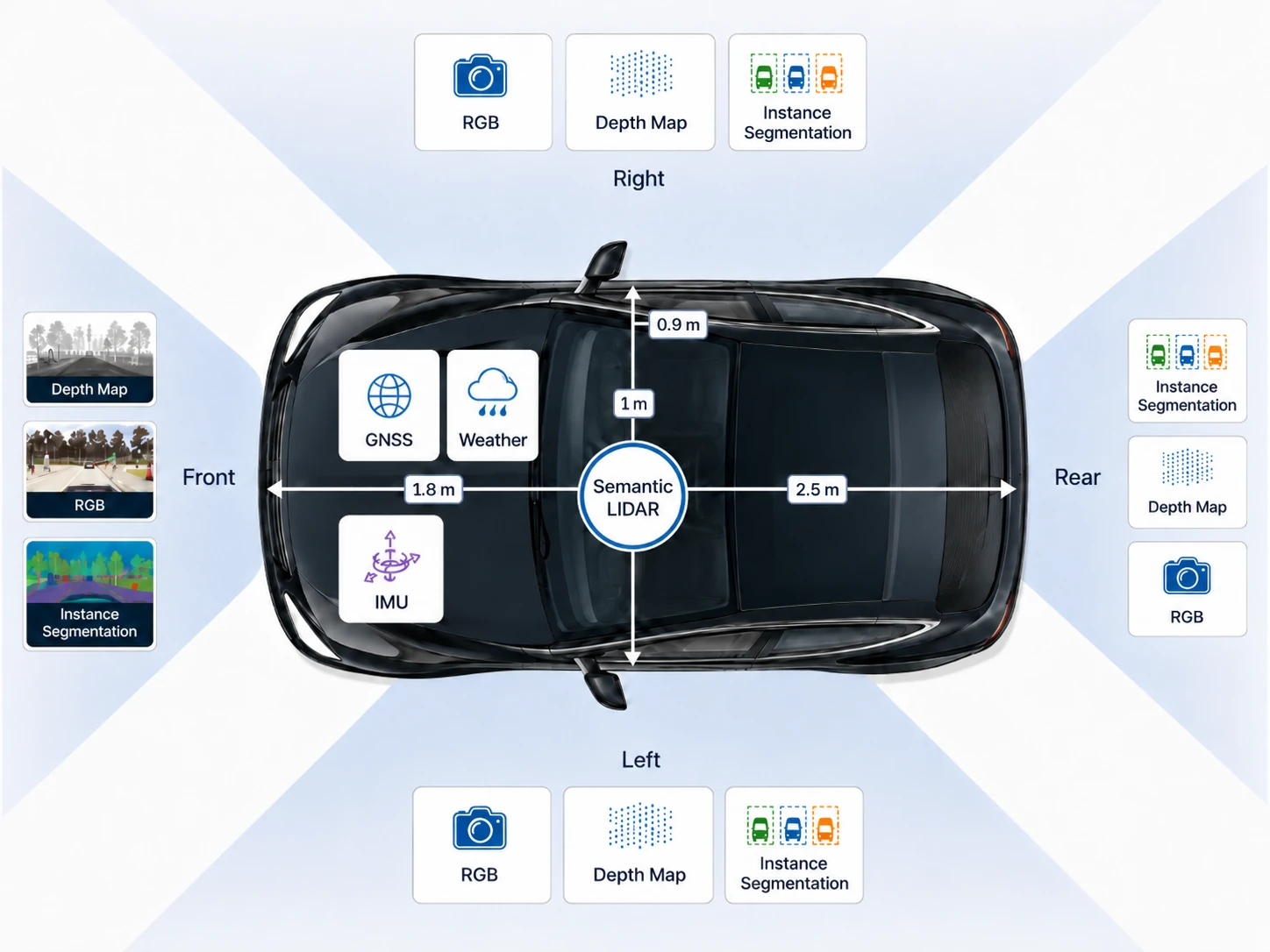
For data collection, we attached an array of sensors to the simulated vehicle.
On each of the 4 sides, front, left, right, rear, we attached virtual camera sensors that capture RGB-D data and instance segmentation masks.
Additionally, there is a LiDAR and a GNSS sensor at the center of the vehicle, as well as an IMU.
Furthermore, we capture the weather from the environment, as well as the control commands issued by CARLA’s autopilot.
Anomaly types
The test split contains nine anomaly types across four categories. Anomalies with a pixel mask can be evaluated at all four tiers (sample, sensor, timestep, scenario); those without a mask are only evaluated at the timestep and scenario levels.
| Anomaly | Category | Pixel mask | Description |
|---|---|---|---|
| Debris spawn | Contextual | Yes | Known objects suddenly appear on the road in front of the ego vehicle. |
| Turned-off traffic lights | Unknown object | Yes | Traffic lights turn off, which never occurs in training scenarios. |
| Traffic light flickering | Temporal | Yes | Traffic lights alternate erratically between red and green. |
| Traffic light yellow blinking | Temporal | Yes | Traffic lights continuously blink yellow, resembling a failure mode. |
| Erratic driver | Temporal | Yes | A car abruptly steers without apparent reason. |
| Running pedestrian | Temporal | Yes | A pedestrian moves at unusually high speed. |
| Vanishing actor | Temporal | No | A regularly driving vehicle disappears without physical cause. |
| Instant weather change | Temporal | No | Weather conditions change abruptly within a few timesteps. |
| Streetlight flickering | Covariate / temporal | No | Streetlights flicker rapidly, altering night-time illumination. |
Environmental conditions
Scenarios span six CARLA towns (Town01–Town05, Town10HD) under diverse lighting and weather. Three base configurations cover clear, rainy, and foggy conditions; random interpolations between pairs produce a continuous range of atmospheric settings. Weather remains constant within each training scenario; abrupt weather transitions appear only in the test split as a dedicated temporal anomaly type.
Directory structure
Scenarios are grouped by split and CARLA town (Town01–Town05, Town10HD). In the anomaly test split, scenarios are additionally grouped by anomaly type (e.g. change-weather, vanish-actor).
carlanomaly/
├── train/
│   ├── Town01/
│   │   ├── scenario-1/
│   │   └── ...
│   └── ...
└── test/
    ├── normal/
    │   ├── Town01/
    │   │   ├── scenario-1/
    │   │   └── ...
    │   └── ...
    └── anomaly/
        ├── Town01/
        │   ├── <anomaly-type>/
        │   │   ├── scenario-1/
        │   │   └── ...
        │   └── ...
        └── ...
Cameras
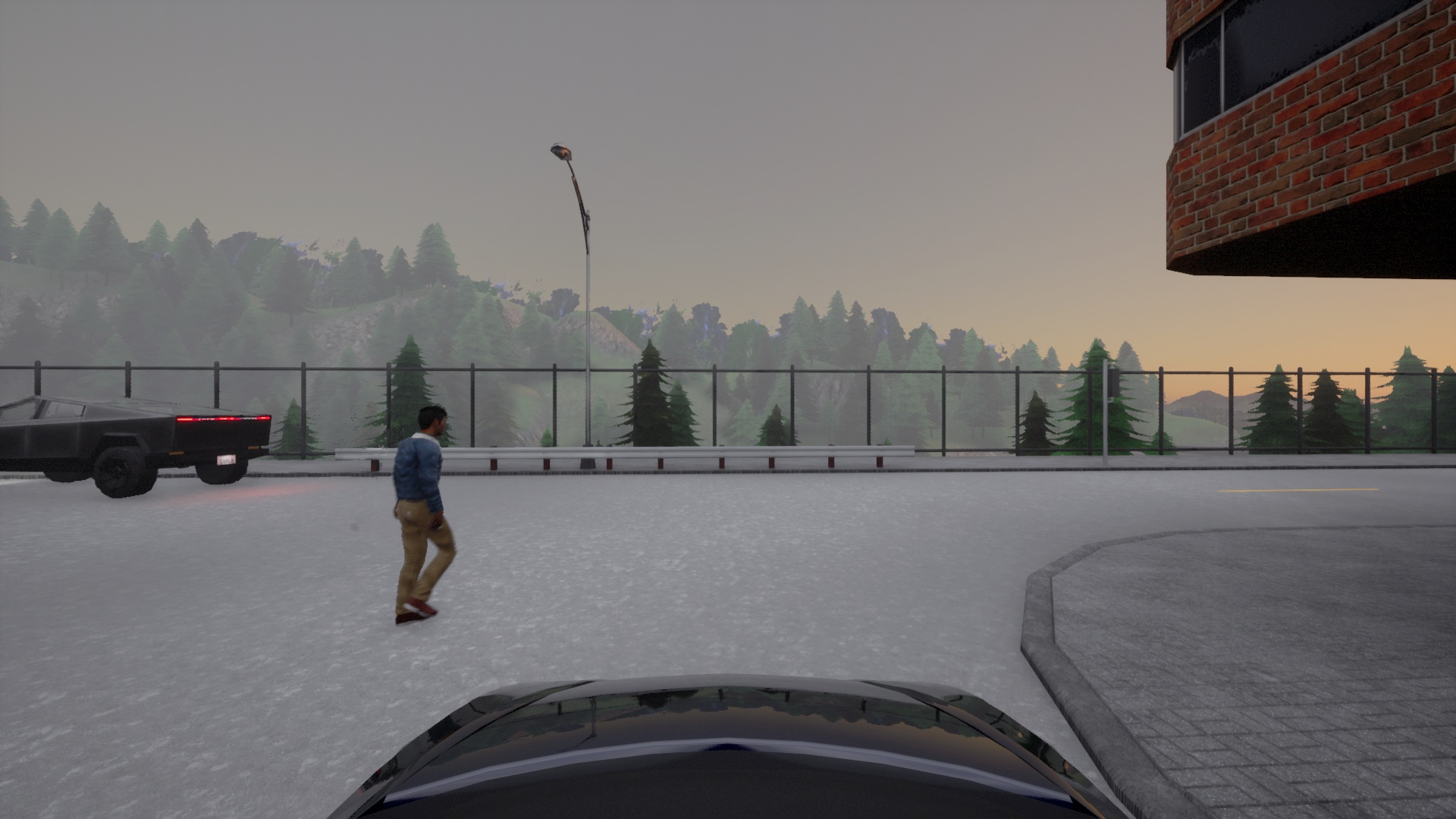
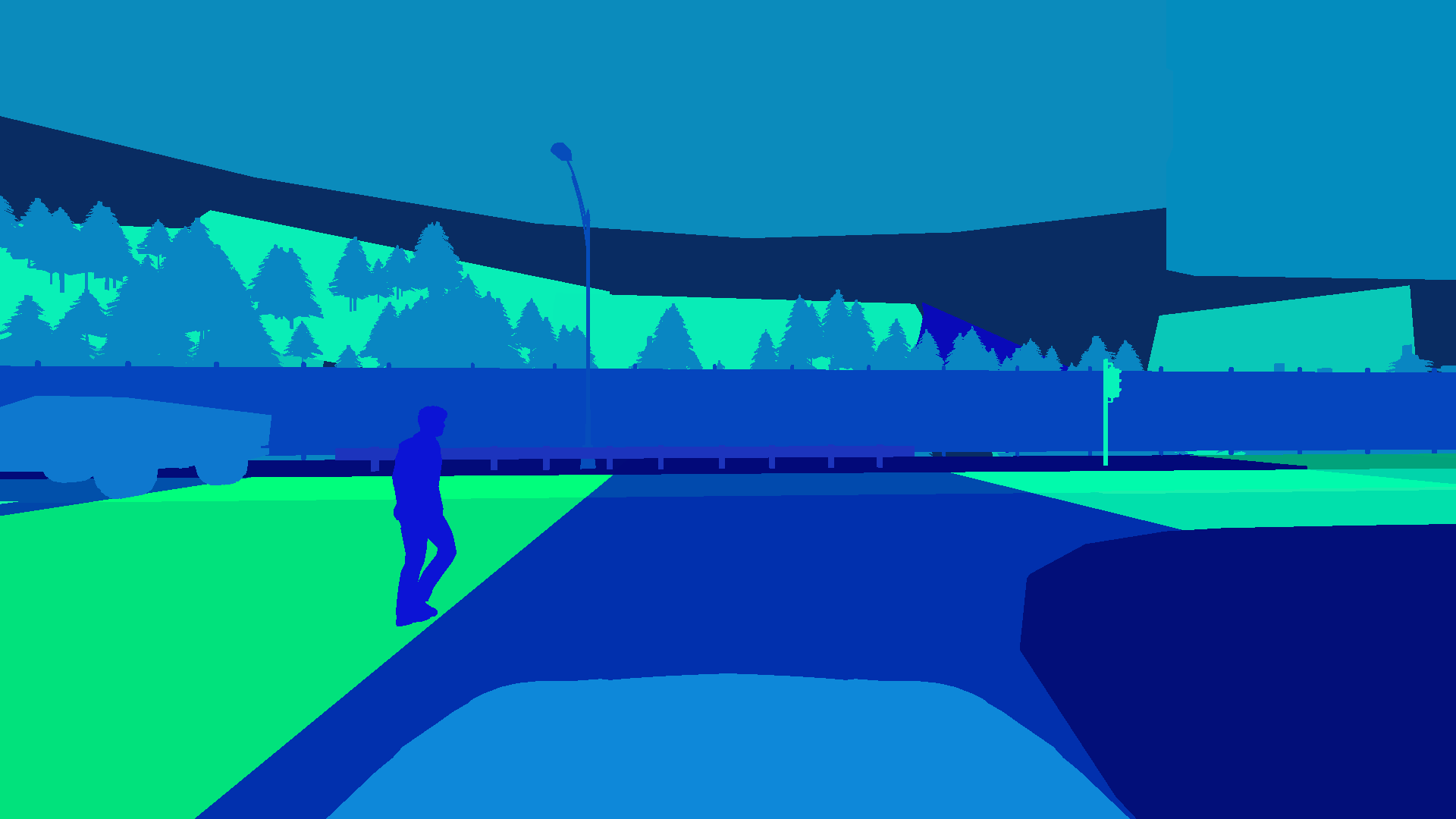
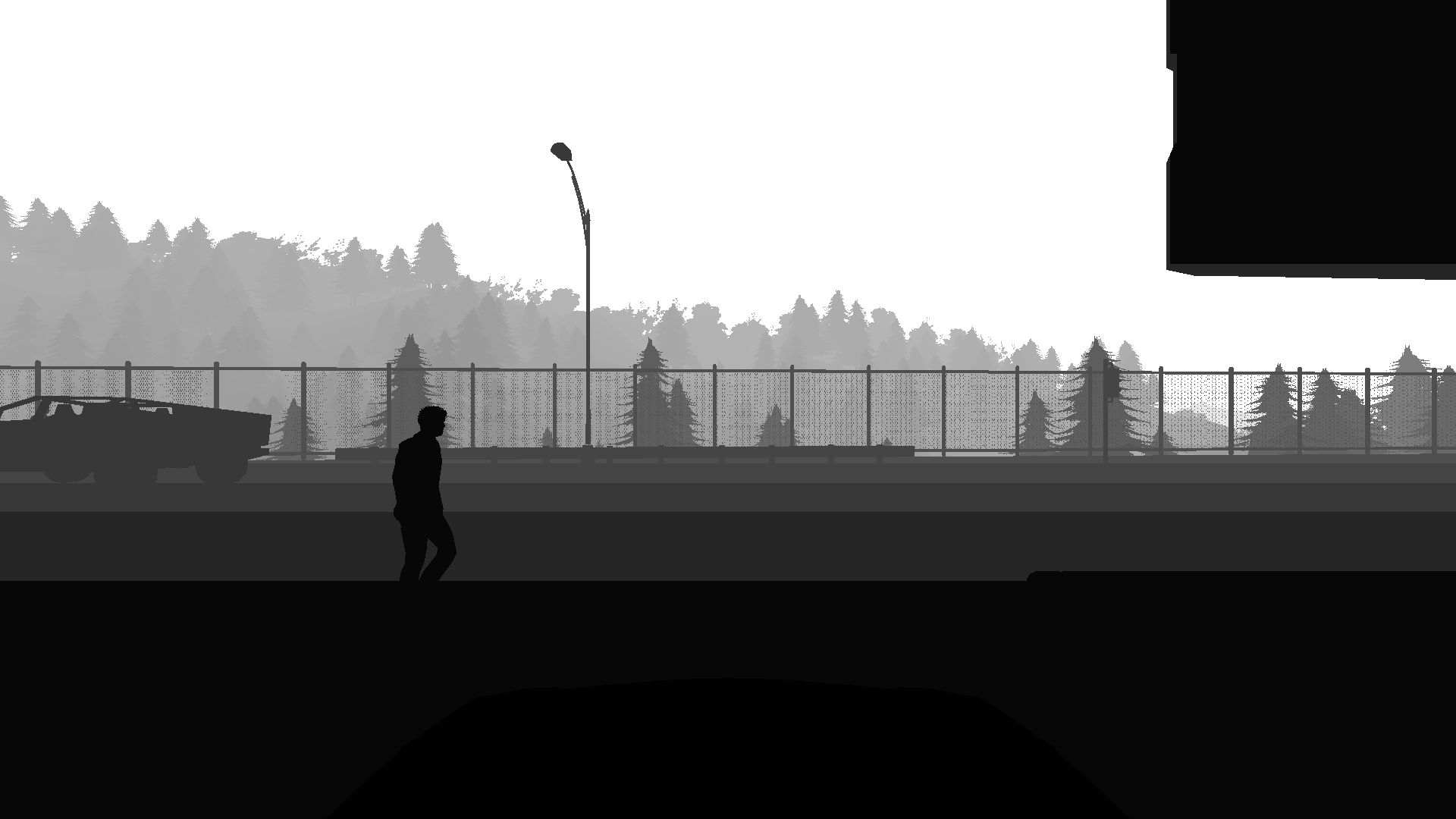
The dataset contains pixel- and instance-wise segmentation masks for each object in the scene. Each object has a unique ID. Since these annotations were generated in a simulation, they are exact.
scenario/
├── rgb-front/
│   ├── 000000.jpg
│   └── ...
├── segmentation-front/
│   ├── 000000.png
│   └── ...
└── depth-front/
    ├── 000000.png
    └── ...
The instance segmentation masks can be loaded as follows:
img = Image.open("segmentation-front/000099.png")

# instance ids are encoded in the G and B channel
id_fields = np.array(img)[:,:,1:3]
instance_ids = np.zeros(shape=(id_fields.shape[0], id_fields.shape[1]), dtype=np.int32)
instance_ids += id_fields[:,:,0]
instance_ids += id_fields[:,:,1].astype(np.int32) << 8

# per-pixel classes are encoded in the R channel
segmentation_mask = np.array(img)[:,:,0]
Semantic LiDAR
Point clouds for each timestep with per-point semantic class and instance labels.
scenario/
└── pointclouds/
    ├── 000000.feather
    └── ...
These files can be loaded with pandas:
import pandas as pd
# Columns: x, y, z, angle, object_id, class_id
data = pd.read_feather("000000.feather")
KITTI annotations
KITTI annotations contain 3D bounding boxes and connect them to the camera.
scenario/
└── kitti-front/
    ├── complete_data/
    │   ├── 000000_extended.json
    │   └── ...
    ├── label_2/
    │   ├── 000000.txt
    │   └── ...
    └── calib/
        ├── 000000.txt
        └── ...
Anomaly annotations
Anomaly labels are provided at four levels of granularity, matching the evaluation tiers.
Sample level
For cameras, per-pixel anomaly labels are stored in a separate directory as 1-channel PNGs, where 0 means normal and any other value means anomaly.
scenario/
└── anomaly-front/
    ├── 000000.png
    └── ...
For LiDAR, the anomaly labels are stored the same way:
scenario/
└── anomaly-lidar/
    ├── 000000.feather
    └── ...
The .feather files are serialized dataframes with a column for the anomaly label.
Sensor level
Sensor-level anomaly labels are given in a .feather file with an anomaly column.
scenario/
├── anomaly-front/
│   ├── ...
│   └── sensor.feather
└── anomaly-lidar/
    ├── ...
    └── sensor.feather
Timestep level
A timestep is anomalous when any sensor reading at that point in time contains an anomaly. For convenience, these labels are also stored in feather format:
scenario/
└── anomaly-observation.feather
| Column | Content |
|---|---|
anomaly | True or False |
tick | Current timestep number |
anomaly_obj_ids | IDs of objects considered anomalous |
anomaly_class_ids | Class IDs of objects considered anomalous |
meta | Metadata |
Scenario level
Scenario labels are given by the directory: everything under test/anomaly/ is anomalous.
Additional data
Each scenario also contains the following sensor readings in feather format:
| File | Content |
|---|---|
imu.feather | Acceleration and orientation of the ego vehicle |
gnss.feather | Position of the vehicle |
weather.feather | Exact weather parameters |
actions.feather | Actions executed by the autopilot. These are the actions CARLA’s traffic manager executes after the last timestep. |
collisions.feather | Collision events; there can be several per timestep |
All of them load as pandas dataframes:
import pandas as pd
imu = pd.read_feather("imu.feather")